Dashboard and inbox
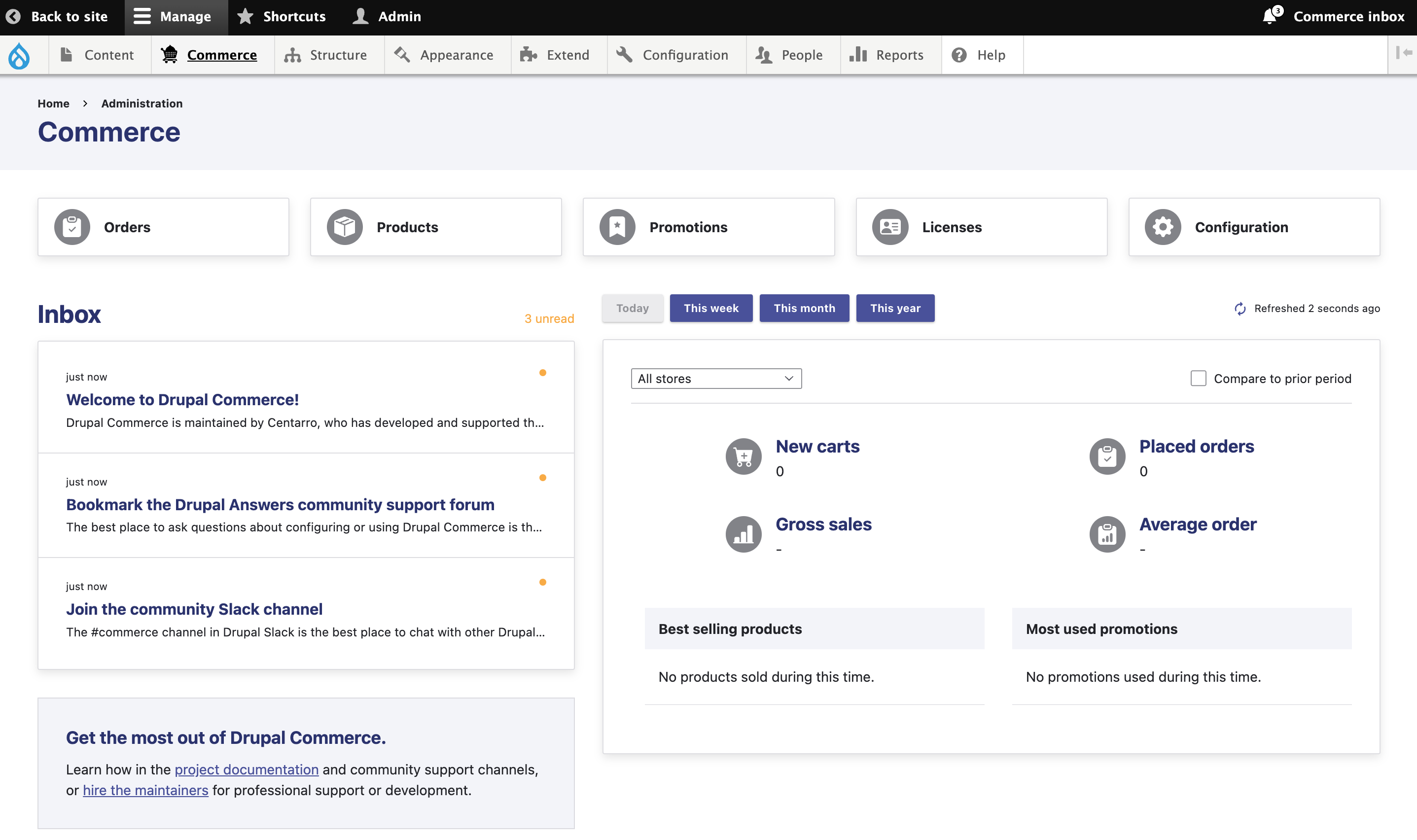
Drupal Commerce's store dashboard was added in the 2.37 release and can be accessed through the Administration > Commerce menu item. It is designed to give merchants insight into the store's performance and direction for getting more out of Drupal Commerce. It offers fast access to management interfaces (i.e., the main subsections of the Commerce menu), embeds sales metrics and summary reports, and displays a feed of project updates through a "Commerce inbox" modeled on the Announcements module in Drupal core.
Sales metrics and reports
Out of the box, the dashboard highlights a basic set of sales metrics. These include new carts, placed orders, gross sales, and average order value within a given timeframe. You can toggle the period or compare to the prior period, and sites that are multi-store will have the ability to filter everything by store. (Multi-currency sites will see gross sales and average order value in each supported currency.)
Some key metrics tracking store performance will require an external web analytics integration. (For example, you can't calculate a conversion rate without knowing how many visitors you had.) The summary reports highlight the most popular products and promotions driving sales in the store. While the feature set may expand over time, it started with these meaningful metrics that can be derived solely from order details in the site's database.
Configuring sales dashboard elements
You can disable dashboard elements that don't perform well based on your store's sales volume or architecture. To toggle them off, you must set certain settings in your site's settings.php file to FALSE. Each element is controlled by its own settings variable with a fairly self-explanatory name:
$settings['commerce_dashboard_show_sales_this_day'] = FALSE;
$settings['commerce_dashboard_show_sales_this_week'] = FALSE;
$settings['commerce_dashboard_show_sales_this_month'] = FALSE;
$settings['commerce_dashboard_show_sales_this_year'] = FALSE;
$settings['commerce_dashboard_show_store_selector'] = FALSE;
$settings['commerce_dashboard_show_prior_period_comparison'] = FALSE;
$settings['commerce_dashboard_show_product_report'] = FALSE;
$settings['commerce_dashboard_show_promotion_report'] = FALSE;
Commerce inbox messaging
Inspired by Drupal core's Announcements module, the dashboard features a basic inbox to deliver timely messages to store managers. Messages can be created during module installation, module updates, or via a cron job fetching updates from the project feed. The screenshot above shows the messages that will be presented to every new user, while the screenshot below shows the message created by a Commerce Core 2.37 update hook:
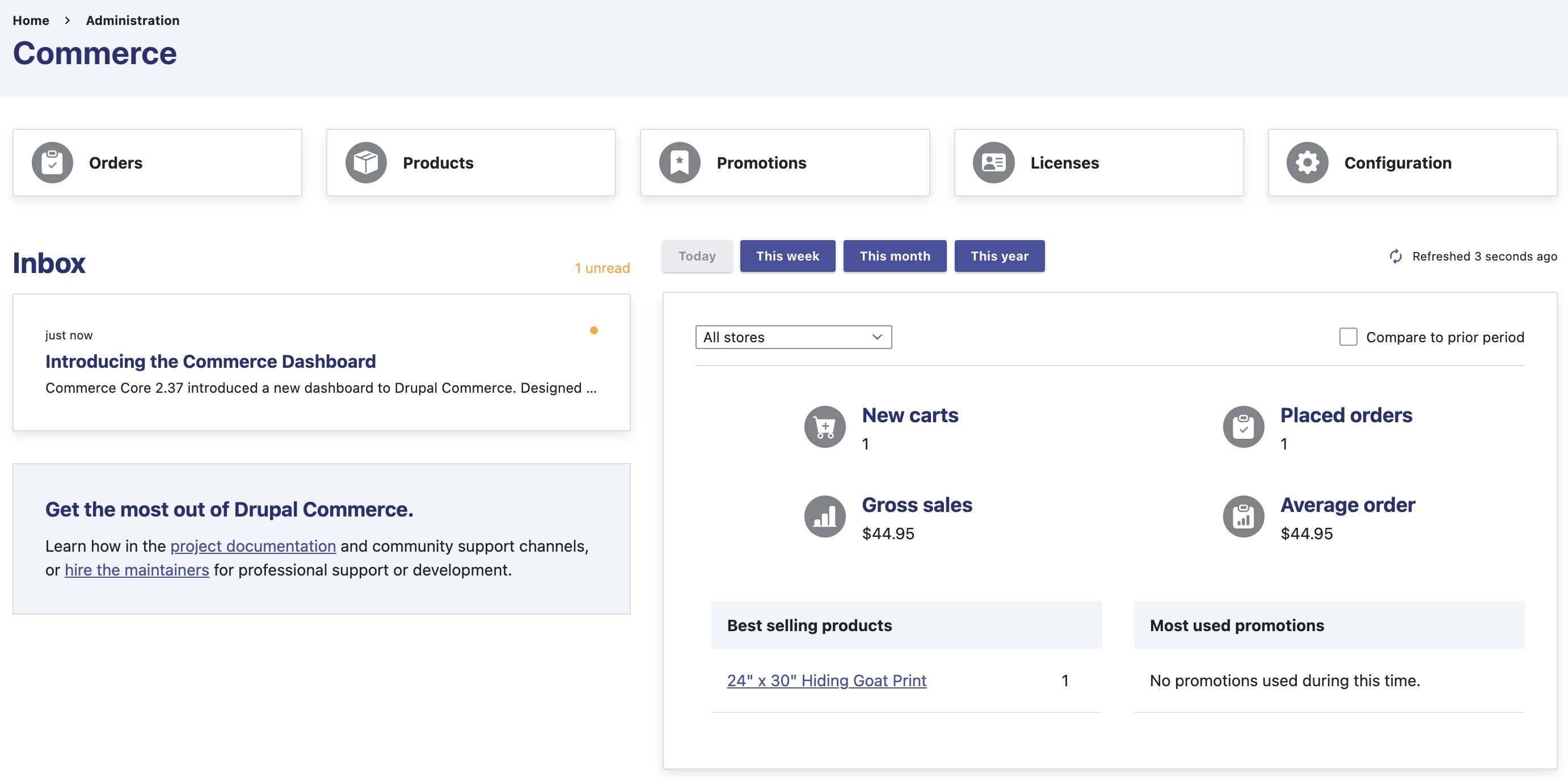
Any module maintainer can create messages to highlight new features or other points of note when a module is installed or updated. Inspired by the Webform module, messages can also open video tutorials in a modal dialog or link to specific site interfaces or external resources (properly indicated).
Configuring inbox elements
The message feed has basic contextual awareness to ensure store managers aren't bothered by irrelevant messages. This includes those that are time-sensitive or only relevant to certain modules. As with other dashboard elements, settings can disable fetching messages from the project feed or showing the toolbar indicator, though the inbox remains present for rendering messages created during module installations and updates:
$settings['commerce_dashboard_fetch_inbox_messages'] = FALSE;
$settings['commerce_dashboard_show_toolbar_link'] = FALSE;
Configuring partner banners
Finally, Drupal Commerce also includes contextually relevant promotions of Technology Partner integrations throughout the user interface. These take the place of blocks shown on user interfaces from Commerce Core (on the tax types page) or contributed modules like Commerce Shipping (on the shipping methods page).
All such instances should respect a single core setting to govern their visibility:
$settings['commerce_show_partner_banners'] = FALSE;
If you encounter a module interface that does not respect that setting, it would be appropriate to open a task issue in the relevant issue tracker to request it be updated. In your issue, feel free to link to this documentation page for support! 🙂